
Stop Guessing. See Every Email Your Salesforce Sends.
Email Log Auditor automates log downloads, tracks per-recipient delivery status, and gives admins a searchable dashboard — all inside Salesforce.
The Problem — Salesforce Email Logs Are Broken by Design
Salesforce gives you email logs, but makes them nearly impossible to use at scale. Here's what you're dealing with without Email Log Auditor.
01
Manual, time-consuming process
Each log request covers a single hour. For a month of data, you need to submit 720 requests. There is no bulk download, no scheduling, no automation.
02
No search or filtering
Native logs are raw CSV files. To find a specific email you have to open files in Excel and search manually — with no centralized view.
03
No delivery visibility
Salesforce email logs tell you an email was sent. They do not tell you whether it was delivered, bounced, or deferred at the recipient level.
Automated Log Downloads — Free, Forever
The free tier solves the biggest pain: manually requesting email log files. Set it once, and Email Log Auditor automatically fetches and stores your logs on your schedule.
Easy 3-Step Configurator
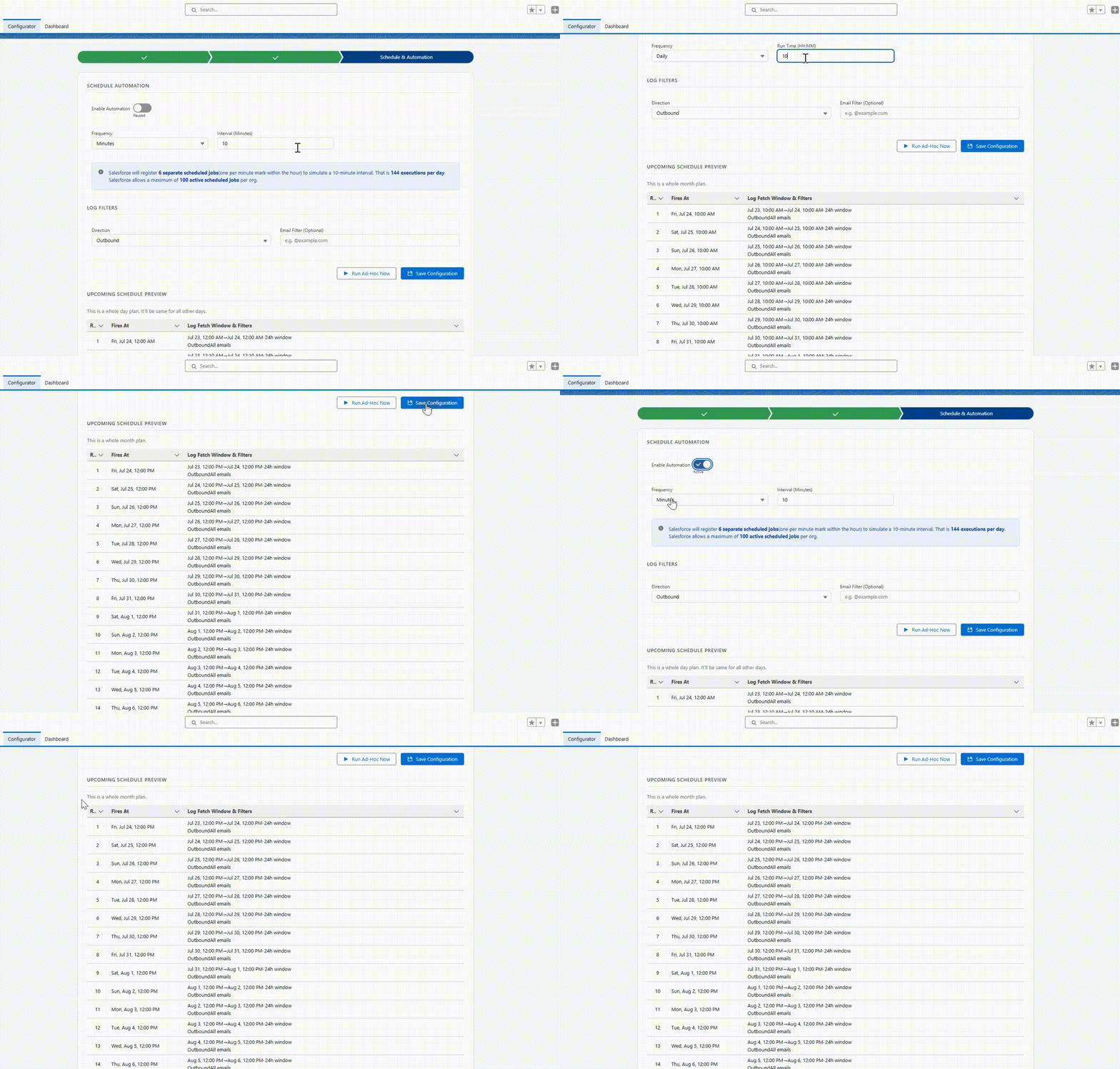
A guided wizard walks you through permissions, log filters, and scheduling. No Apex, no SOQL, no setup complexity.
Toggle Automation On/Off
Enable scheduled log downloads with a single toggle. Choose hourly, daily, or custom frequency. Pause anytime without losing data.
Automated Log File Downloads
Email log files are automatically fetched from Salesforce on your schedule and stored as Documents inside your org — no manual requests, ever.
Scheduled & Ad-Hoc Runs
Automated downloads run on your configured schedule. Need immediate data? Run an ad-hoc download instantly with one click.
Beyond 30-Day Retention
Logs are stored as records in your org. You control retention — far beyond the native 30-day window Salesforce imposes.
CSV Log Archive
All downloaded logs are preserved as Documents in Salesforce, accessible to your team, and ready for compliance or audit review.
How to Query Downloaded Logs
Use this SOQL query to inspect downloaded Email Log File records directly in your org.
SELECT
    Id,
    beyond_sf__Label__c,
    beyond_sf__ContentDocumentId__c,
    FORMAT(beyond_sf__DownloadedDate__c),
    beyond_sf__Direction__c,
    beyond_sf__ProcessingStatus__c,
    FORMAT(beyond_sf__RequestedEndDate__c),
    FORMAT(beyond_sf__RequestedStartDate__c),
    beyond_sf__RowCount__c,
    beyond_sf__ServletPath__c
FROM beyond_sf__EmailLogFile__c
WHERE beyond_sf__LogSearchId__c != NULL
ORDER BY CreatedDate DESC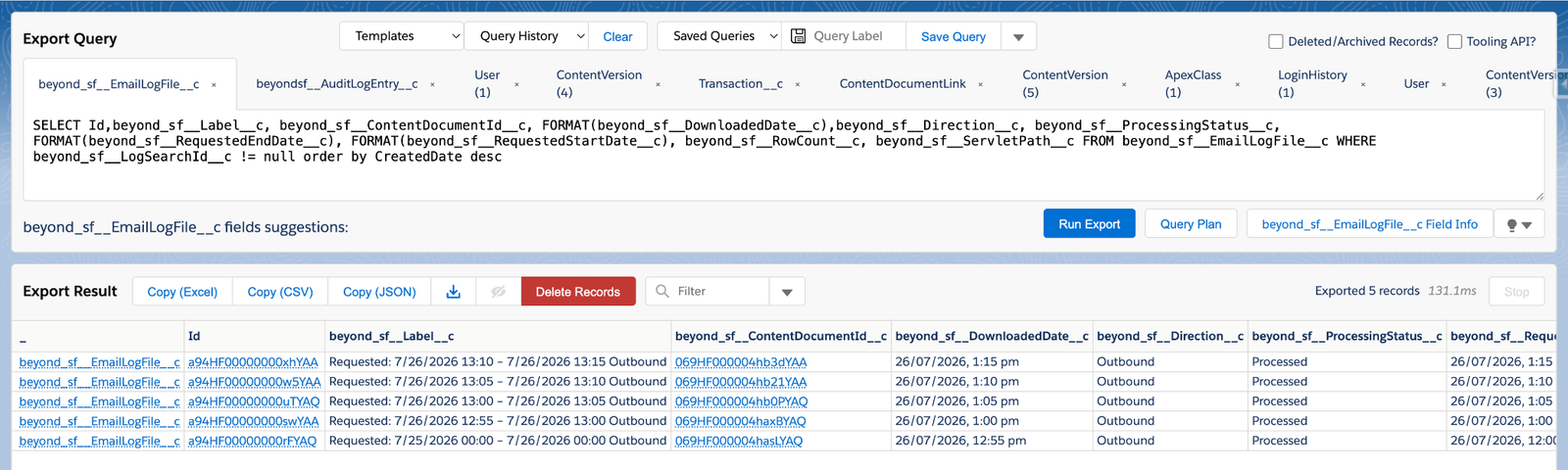
Why does Salesforce only keep 30 days of logs?
Salesforce's Email Log Files are generated on-demand for 1-hour windows, available only via Setup → Email Log Files. They expire after 30 days and require a manual request per hour. Email Log Auditor requests and downloads those files automatically, storing them as Documents inside your org. All logic runs inside Salesforce. No data ever leaves your org.
Full Visibility. Dashboard + Delivery Tracking.
Premium unlocks the Analytics Dashboard and the Log Explorer — giving you searchable email records with per-recipient delivery status pulled directly from Salesforce's DeliveryData field.
Analytics Dashboard
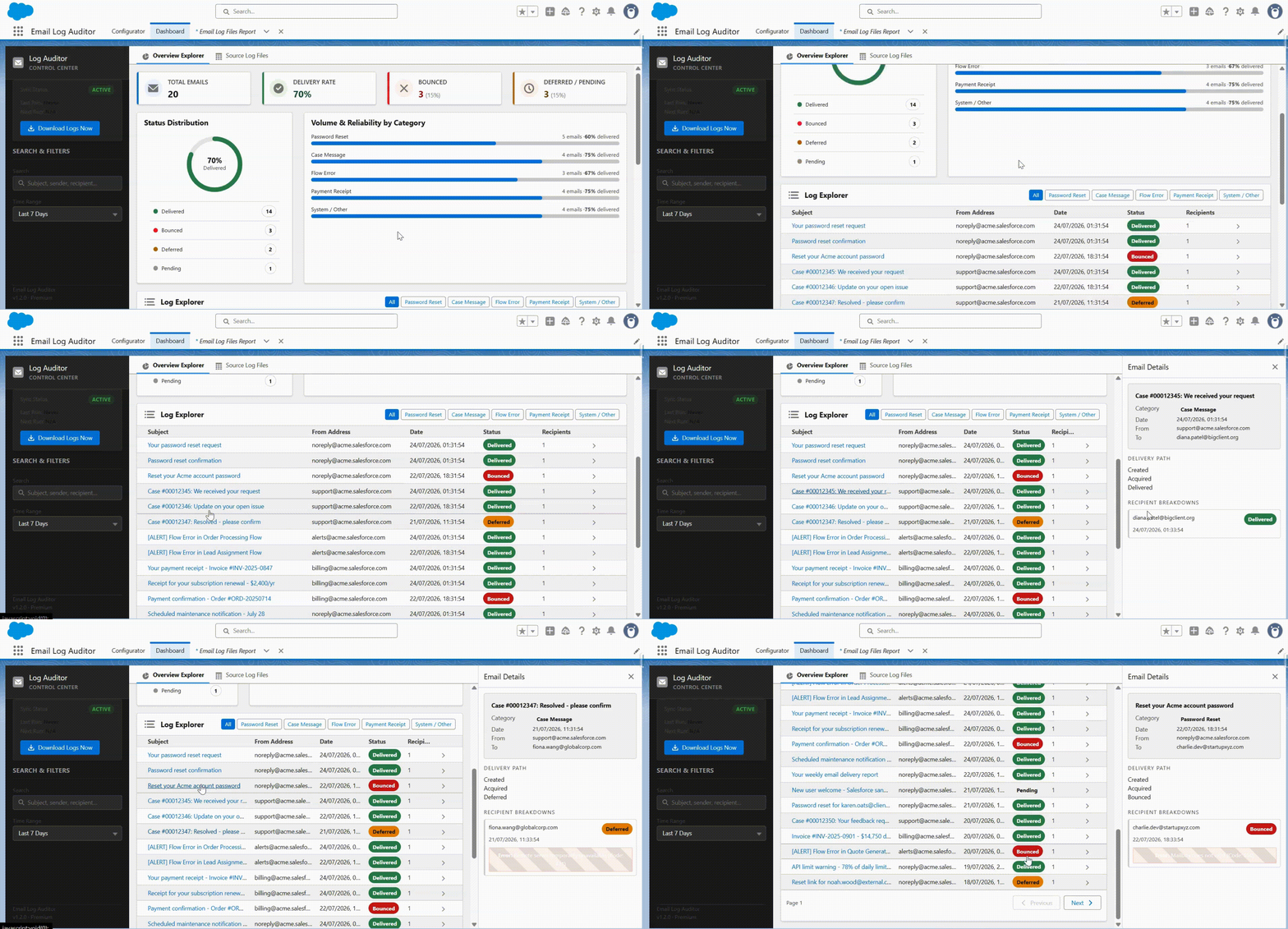
Visualize your org's email delivery health at a glance. See delivery rate, bounce rate, deferred count, and volume broken down by email category.
Volume & Reliability by Category
Understand which email flows — Password Reset, Case Messages, Payment Receipts, Flow emails — are performing well and which need attention.
Log Explorer with Smart Filters
Search across thousands of email records instantly. Filter by sender, recipient, subject, status, date range, or category — no debug logs.
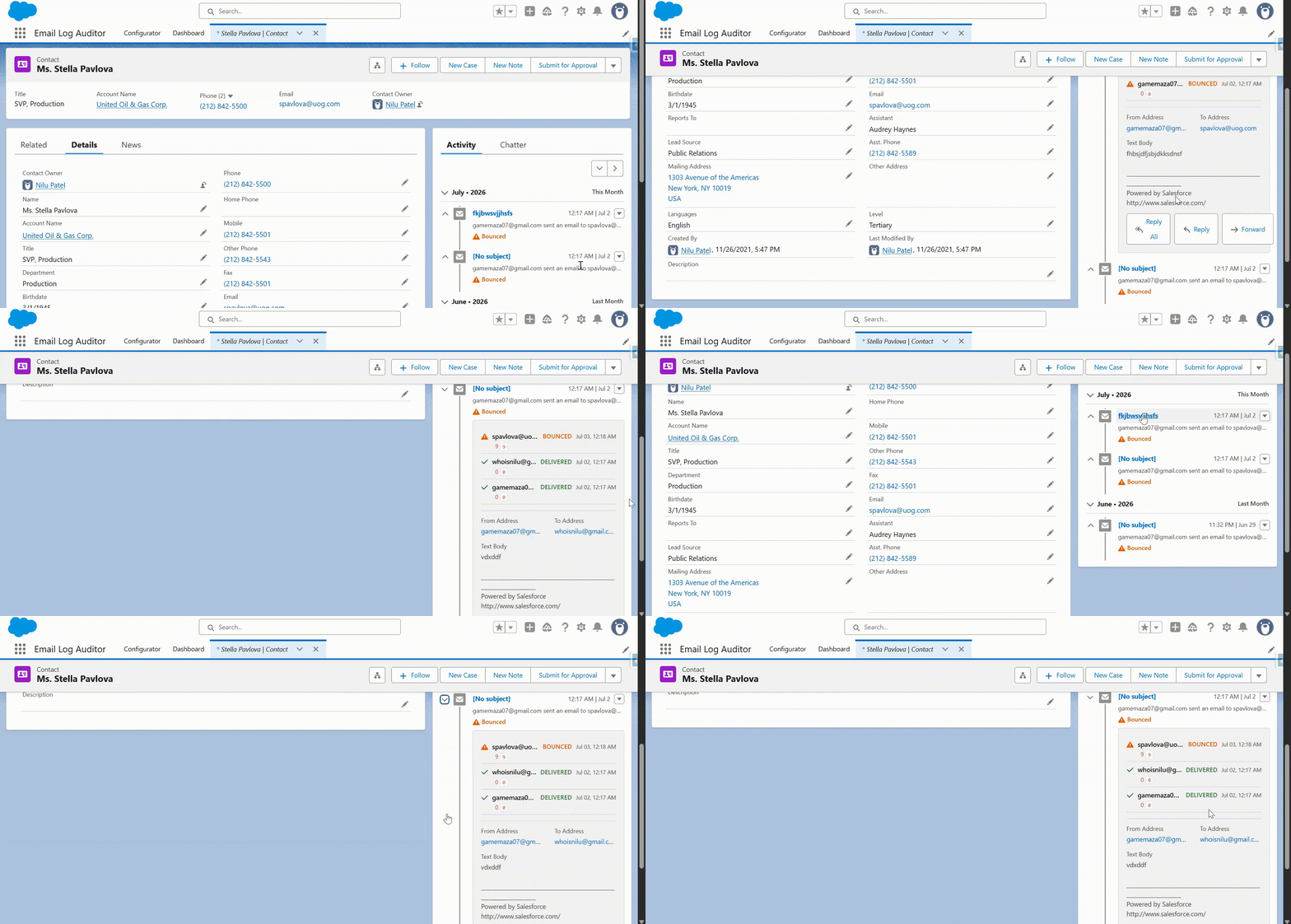
Per-Recipient Delivery Status
Click any email row to see exactly which recipients got it, who bounced, who was deferred, and the precise failure reason — powered by Salesforce DeliveryData.
Complete Audit Trail
Every email your org sends is logged — automated flows, Apex triggers, mass emails, and manual sends — with full delivery metadata attached.
Permission-Controlled Access
Built on native Salesforce permission sets. Control who can view the dashboard, who can export, and who has admin access via the Configurator.
Per-Recipient Delivery Status Detail
Click any email row to open the Delivery Detail panel — a live view of every recipient event for that email, straight from Salesforce's DeliveryData field.
- Delivered, Bounced, Deferred, Pending per recipient — Every delivery event for every address on an email — in one panel.
- Failure reason & error code exposed — No more guessing why an email didn't land. The SMTP failure code is right there.
- 100% Salesforce-native data — Reads from EmailMessage.DeliveryData — the same field Salesforce uses internally.
- Identify deliverability patterns — Which domains keep bouncing? Which flows have deferred rates? See it instantly.
Free to Start. Premium When You're Ready.
No commitment. Upgrade at any time.
Free
$0
Free, forever
- Easy 3-step Configurator
- Toggle automation on/off
- Automated log file downloads
- Configurable schedule (minutes to daily)
- Ad-hoc immediate downloads
- Log files stored as Salesforce Documents
- Beyond 30-day retention
Premium
Contact Us
Reach out for pricing
Everything in Free, plus:
- Analytics Dashboard (delivery rates, charts)
- Volume & reliability by email category
- Log Explorer — search & filter email records
- Per-recipient delivery status (Delivered / Bounced / Deferred)
- Failure reason & error code per recipient